Labor Rates
APM allows for the creation of predefined Labor rate cards, for both Time & Material and Cost-Plus billing methodologies, for contract line items using the Rates Billing Type.
This allows for a rate card to be created for a customer, or for a particular industry or project profile.
Labor Rate Maintenance
Use Labor Rate Maintenance to create a Labor Rate then add Roles to it.
- Menu Path
-
Advanced Project Management > Contract Management > Setup > Labor Rate
Adding a New Labor Rate
-
Navigate to Labor Rate Maintenance.
-
Select New
 on the Standard toolbar.
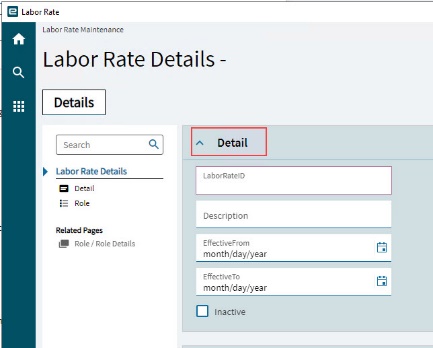
The Details page opens, with the Detail card expanded.
-
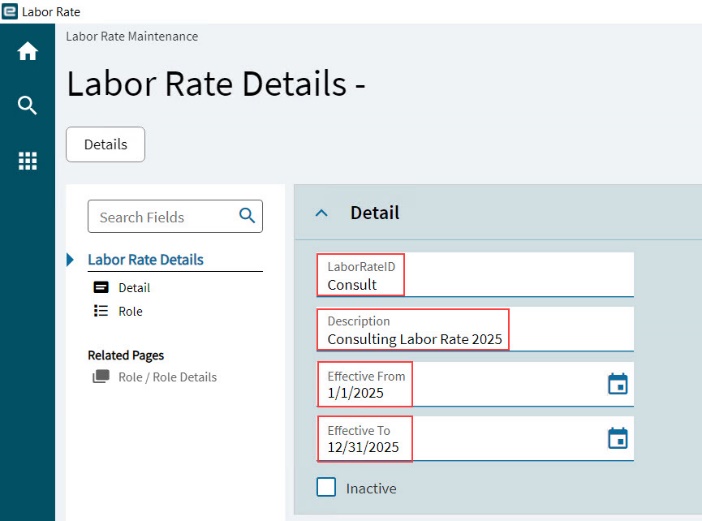
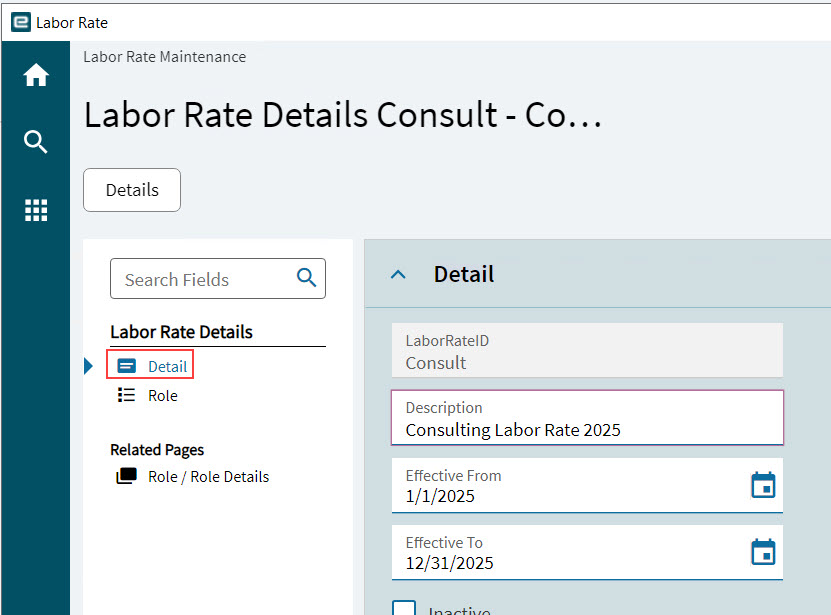
Enter a LaborRateID for the new Labor Rate.
-
Enter a Description.
-
Select an Effective From and Effective To date.
-
Select Save
 on the Standard toolbar.
Adding a Role
Add a set of Roles to the Labor Rate. These roles must already exist in standard Kinetic.
-
Select the Labor Rate.
-
Select Role on the Navigation Tree.
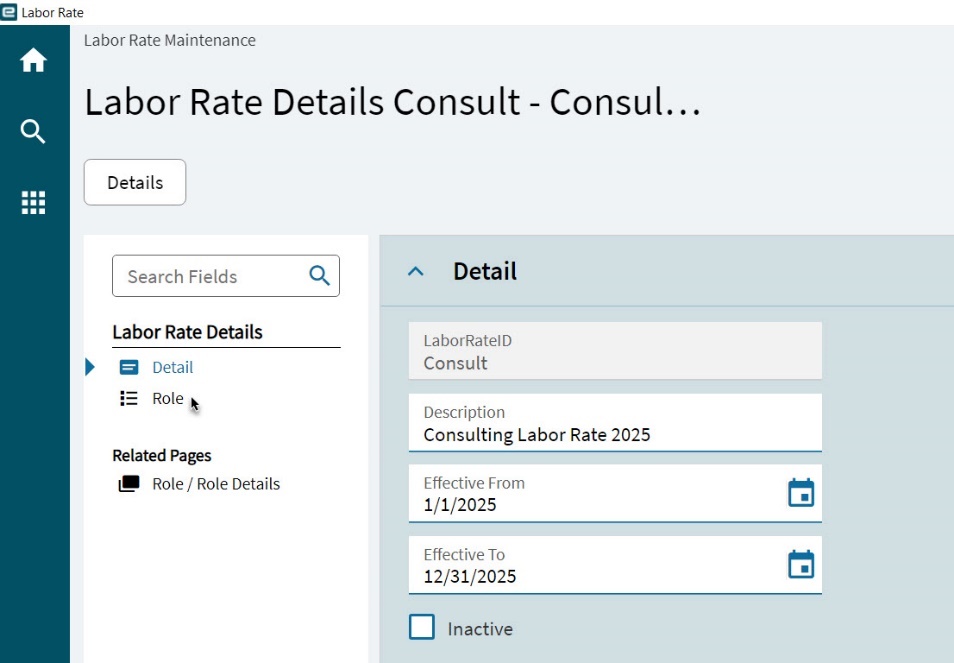
This opens the Role card.
-
Select New
on the Role toolbar.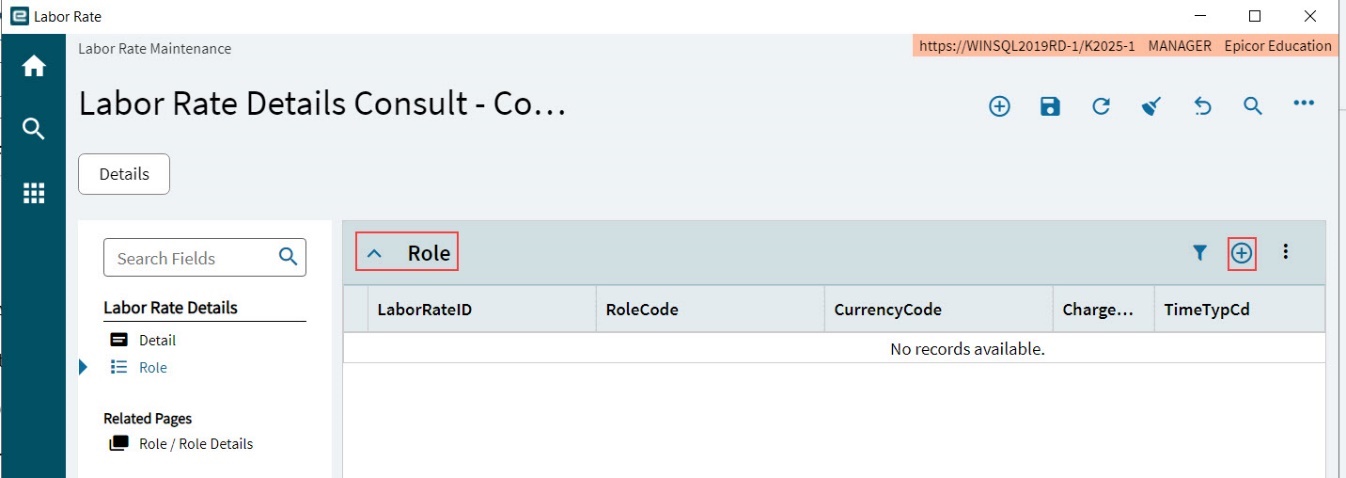
A Search panel slides out for the Role.
-
Search for and select a Role.
-
Select OK.
A Search panel slides out for the Time Type.
-
Search for and select a Time Type Code.
-
Select OK.
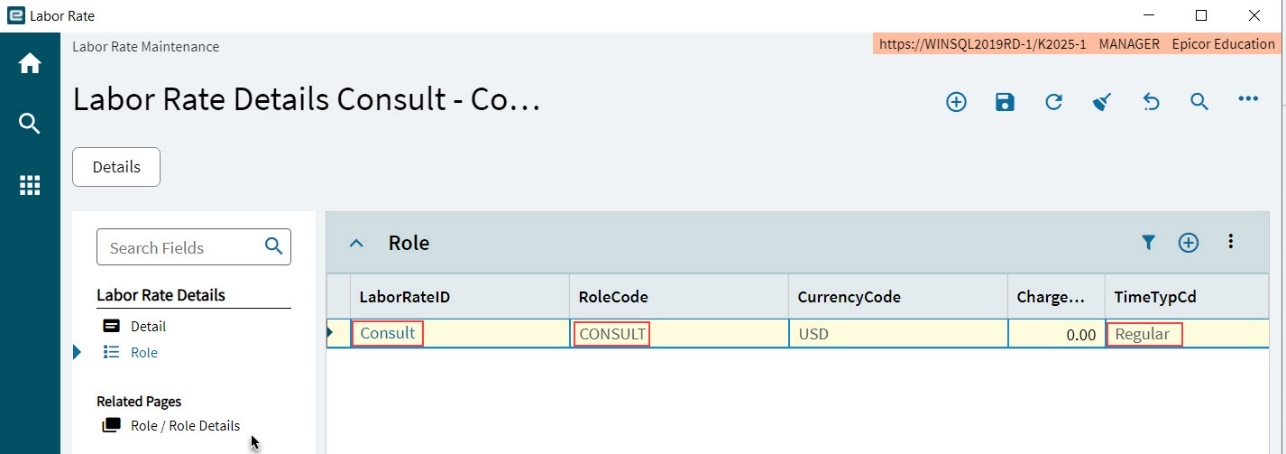
A new Role record is created with the LaborRateID and RoleCode populated from the selected Role, and the TimeTypeCd populated from the selected Time Type Code.
-
Select Role / Role Details on the Navigation Tree. This opens the Detail card with the Role Details.
-
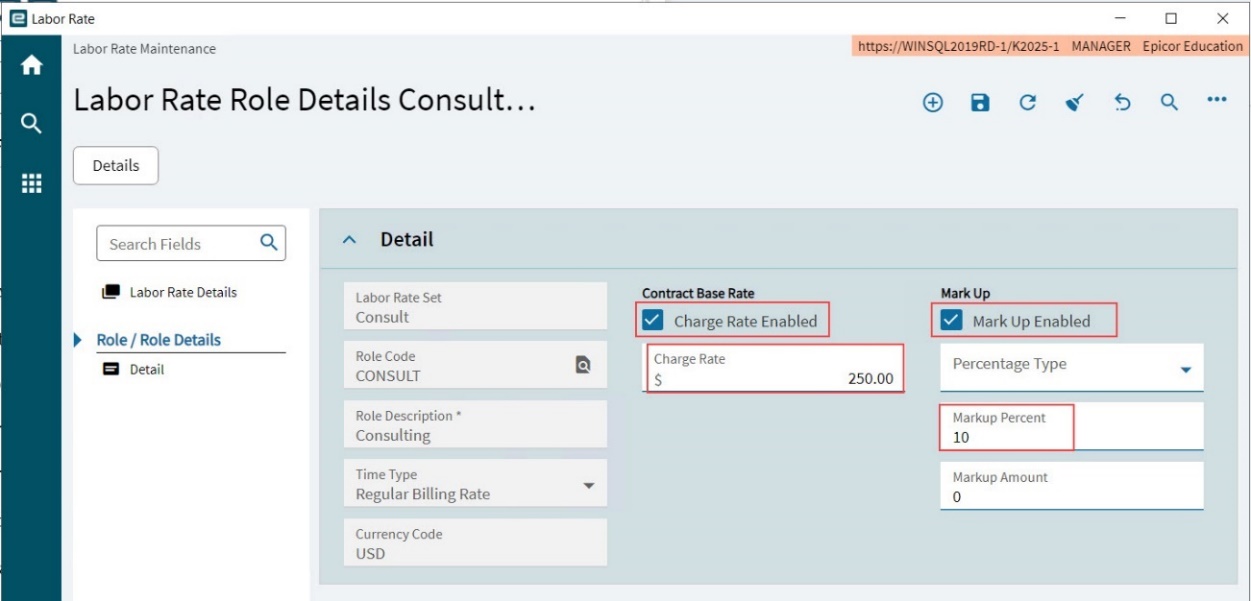
Complete the Labor Rate Details:
-
To enter a Contract Base Rate, select Charge Rate Enabled and then enter a Charge Rate amount.
-
To enter a Mark Up, select Mark Up Enabled. Select a Percentage Type and then enter a Markup Percent and/or Markup Amount.
-
Select Save
on the Standard toolbar.
-
-
Select Detail on the Navigation Tree to return to the Labor Rate.
-
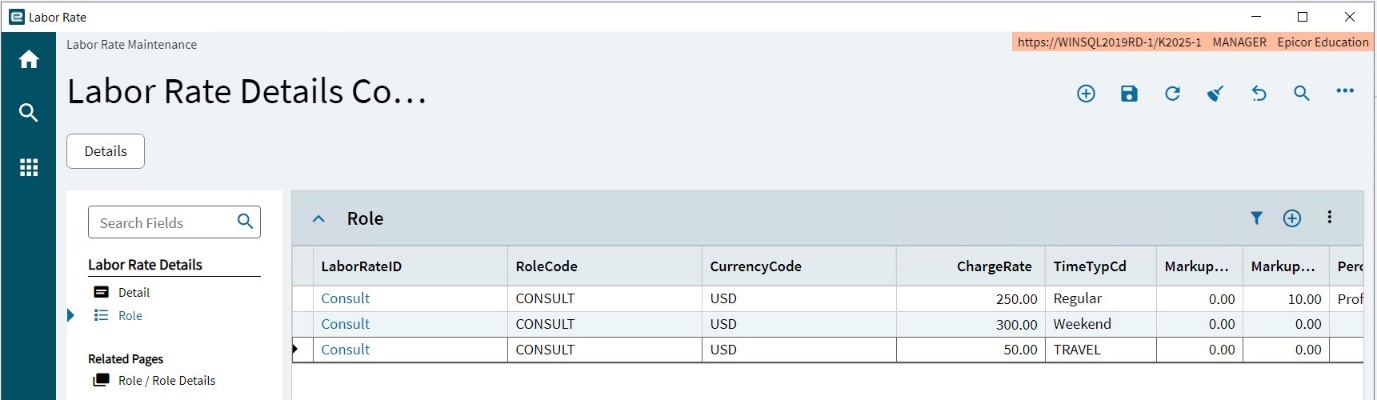
Continue to add Roles until there is a full set, suitable to use within a Contract.
Example of Labor Rates
The example below shows a typical configuration for a customer-specific set of Labor Rates that can be applied to individual Contracts or to Contract Templates.
|
Using Labor Rates in a Contract
Labor Rates can be added to a Contract in Contract Entry. Within the Contract, the rates can be adjusted if required.
See Rates Billing Type, for details on using Labor rates within a Contract.