Financial Configuration
Before you start creating APM Contracts or APM Projects, check the following configuration settings for each Kinetic Company that may use the APM Contracts or APM Projects modules.
- Standard Kinetic Path
-
System Setup > Company/Site Maintenance > Company Configuration
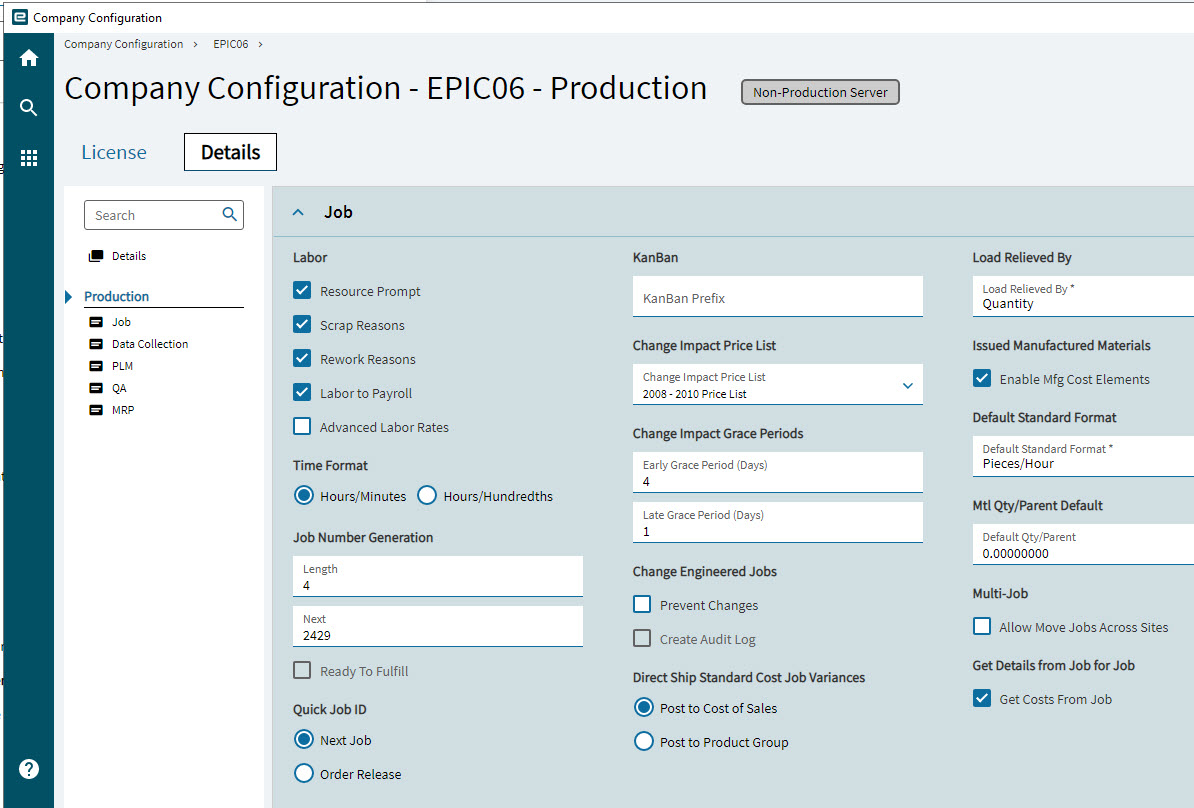
Company Configuration - Production
-
Select Modules.
-
Select Production on the Navigation Tree.
-
Open the Details page.
-
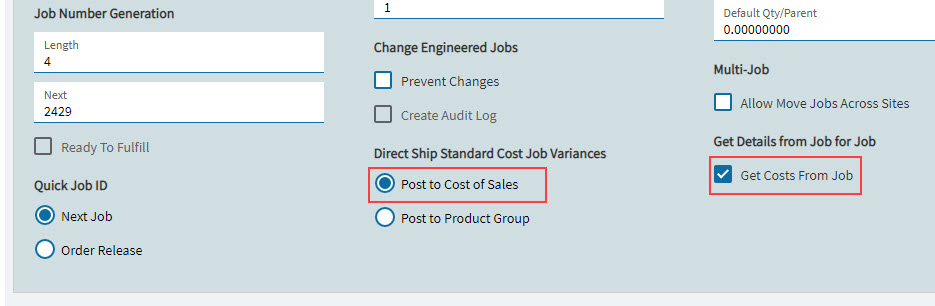
Open the Job card and check the settings for Direct Ship Standard Cost Job Variances and Get Details from Job for Job.
- Direct Ship Standard Cost Job Variances
-
Post to Cost of Sales must be selected.
- Get Details from Job for Job
-
Get Costs From Job must be selected.
|
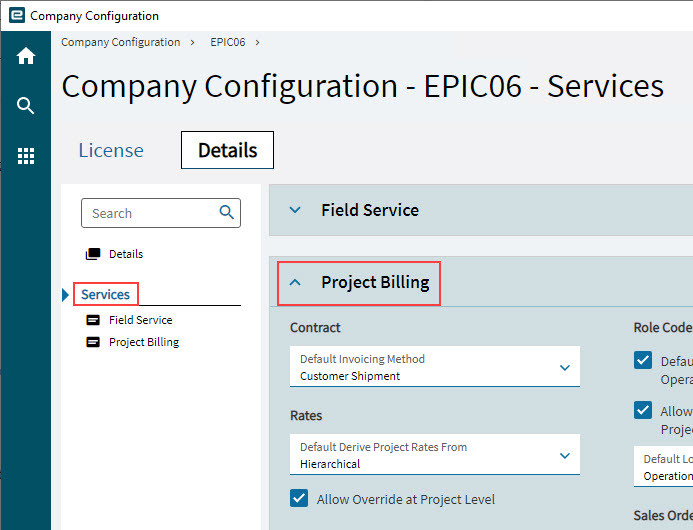
Company Configuration – Services – Project Billing
-
Select Services on the Navigation Tree.
-
Expand the Project Billing card.
-
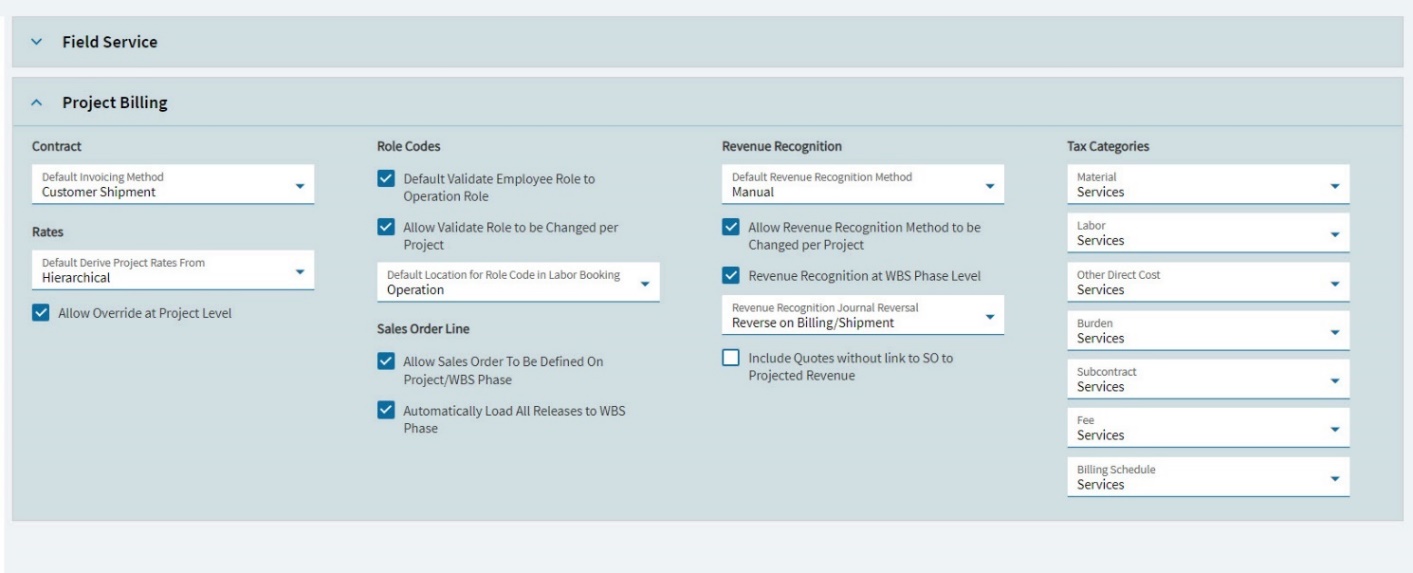
Check the following settings:
Field Selection Contract
Default Invoicing Method
Customer Shipment
Role Codes
Default Validate Employee Role to Operation Role
<Selected>
Allow Validate Role to be Changed per Project
<Selected>
Default Location for Role Code in Labor Booking
Operation
Revenue Recognistion
Default Revenue Recognition Method
Manual
Allow Revenue Recognition Method to be Changed per Project
<Selected>
Revenue Recognition at WBS Phase Level
<Selected>
Revenue Recognition Journal Reversal
Reverse on Billing/Shipment
Include Quotes without link to SO to Projected Revenue
<Not selected>
Rates
Default Derive Project Rates From
Hierarchical
Allow Override at Project Level
<Selected>
Sales Order Line
Allow Sales Order To Be Defined on Project/WBS Phase
<Selected>
Automatically Load All Releases to WBS Phase
<Selected>
Tax Categories
Material
Services
Labor
Services
Other Direct Cost
Services
Burden
Services
Subcontract
Services
Fee
Services
Billing Schedule
Services