Setup
- Menu Path
-
Advanced Project Management > Project Accounting > Setup
Ideally, the Project Accounting setups will be captured and finalized by an Administrator before you start adding Projects, to keep these consistent between Projects.
|
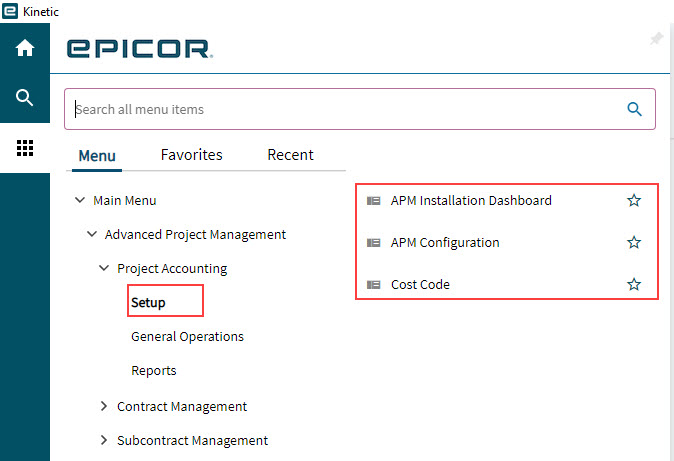
Refer to the Administration Section for an explanation and guide to the following setups for Projects:
-
APM Configuration
-
Cost Code
The APM configuration elements for Project Accounting are briefly summarized below.
APM Installation Dashboard
This dashboard is intended for System Administrators.
As a general user, you may open this dashboard to view the APM Installation Status Dashboard Query Version if you need to know which version of APM is used in the current installation.
- Menu Path
-
Advanced Project Management > Setup > APM Installation Dashboard
Advanced Project Management Configuration
The defaults configured here are applied to any Contracts or Projects created in Advanced Project Management. Read more in the section APM Configuration.
Cost Code
Advanced Project Management uses APM Cost Codes to classify Project costs. Cost Codes are added and maintained in Cost Code Maintenance (Advanced Project Management > Project Accounting > Setup > Cost Code).
Cost Codes get linked to standard Kinetic elements (Analysis Code, Misc Charges and Part Class) so that financial transactions relating to these elements can be assigned to the APM Cost Codes.
|
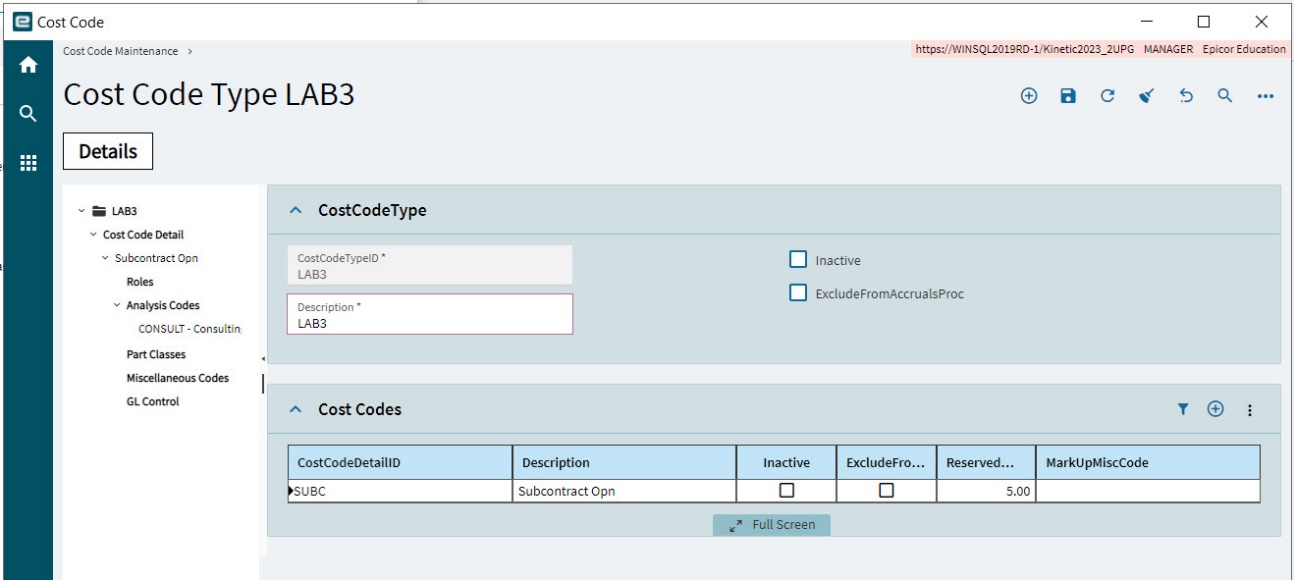
Read more about Cost Codes in the section Cost Codes.