General Operations
Navigate to Advanced Project Management >Subcontract > General Operations.
All the operations, trackers, and workbenches in the Subcontract module are accessed from here.
APM AP Invoice Entry
This topic is covered in the section APM AP Invoice Entry in Project Accounting.
Subcontract Claim Tracker
- Path
-
Advanced Project Management > Subcontract Management > General Operations > Subcontract Claim Tracker.
Use the Subcontract Claim Tracker to view subcontract claims in read-only mode.
-
Navigate to and open Subcontract Claim Tracker.
-
Filter subcontract claims by All or Recent Records.
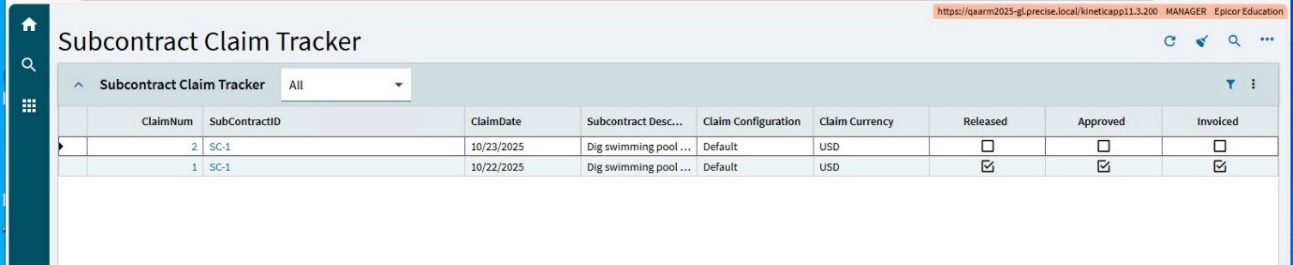
You can see in the summary grid which claims are released, approved, and invoiced.
-
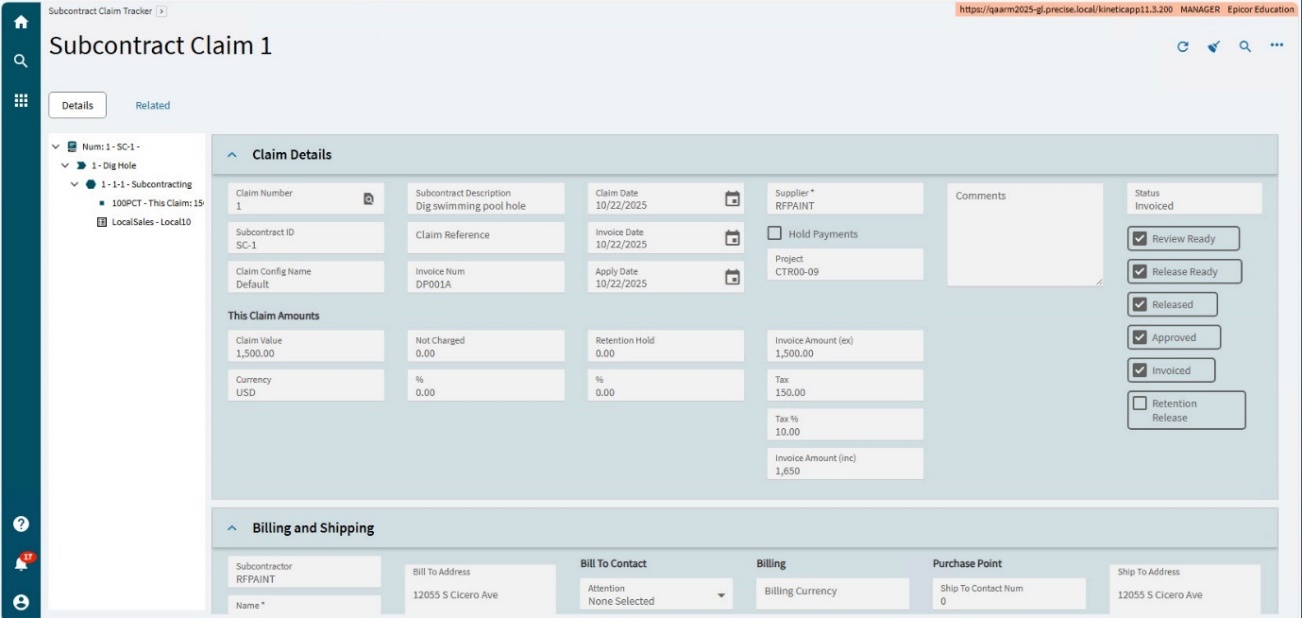
To view a subcontract claim, click on the ClaimNum or on the SubContractID in the grid.
This opens the Subcontract Claim in read-only mode.
-
Navigate through the Details, Line Item Details and Milestones using the Navigation Tree, to view claim details.