Milestone Sets
A significant feature of Advanced Project Management is the ability to manage progress and billing by milestones.
A milestone is typically a task, an activity, or a certain stage within the execution of a project that is considered noteworthy with potential billing activity.
APM provides for the creation of sets of milestones that can be used multiple times, across multiple projects.
In APM progress billing, the full or partial billing of one or more milestones can be billed within a single Contract Claim. This method of billing acknowledges that, whilst in some situations only one milestone is worked towards at once, there are also circumstances where multiple milestones can be progressed simultaneously, in part or in full.
APM allows for claiming against:
-
the progress of a single milestone
-
across multiple milestones within a single contract line item
-
across multiple line items within a single contract.
A Milestone Set can be created and used specifically for a single customer’s contracts, or it can be selected in a Contract Type, where it is the default Milestone Set for any contracts using that Contract Type.
Milestone Maintenance
There are two types of Milestone Sets that you can set up:
- Fixed
-
This Milestone Set uses one or more defined Milestones over the duration of the contract, each with its own Claim Percentage.
- Recurring
-
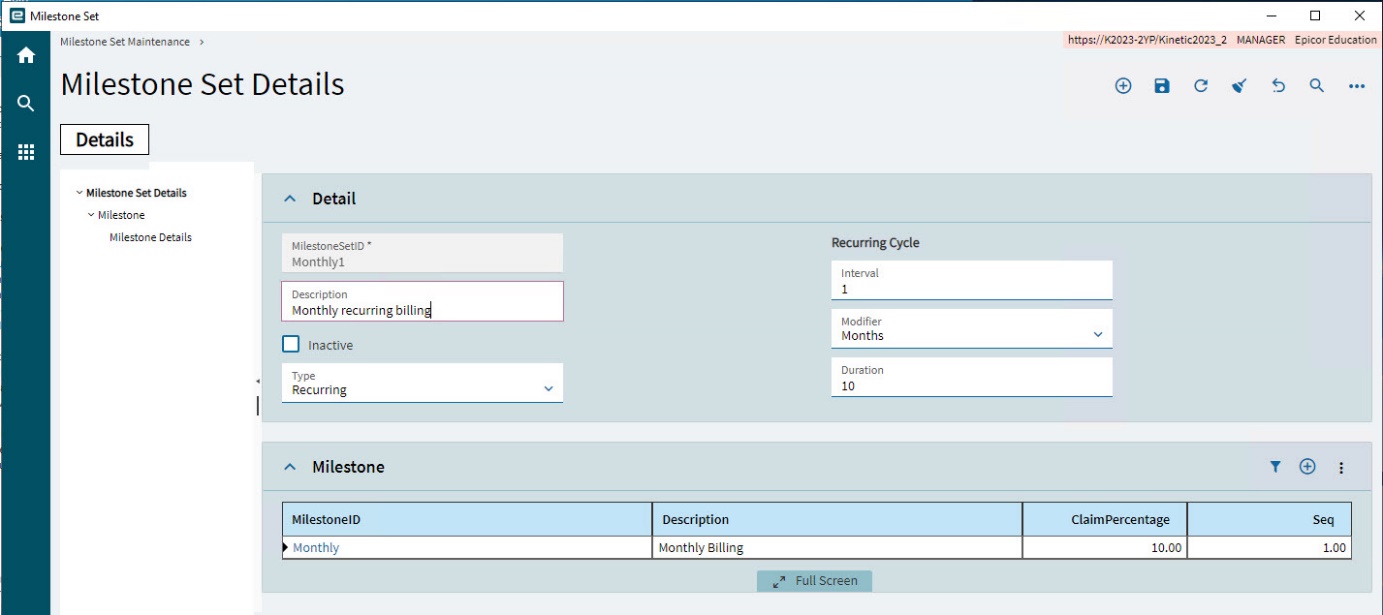
This Milestone Set has a single Milestone with a recurring cycle. For example, 10 percent of the claim to be claimed once a month over ten months.
Menu Path: Advanced Project Management > Contract Management > Setup > Milestone Set
Adding a Fixed Milestone Set
Select Fixed for a Milestone Set that uses one or more defined Milestones over the duration of the contract, each with its own Claim Percentage.
-
Select New
 on the Standard toolbar.
A new Milestone Set is created, with the Detail card expanded.
-
On the Detail card:
-
Enter a MilestoneSetID for the new Milestone Set.
-
Enter a Description.
-
Select Inactive if you want to deactivate the Milestone Set temporarily.
-
Select Fixed for the Type.
-
Select Save
 on the Standard toolbar.
The new Milestone Set is saved.
-
-
Now add Milestones to the Milestone Set. See Adding Milestones to a Milestone Set.
Adding a Recurring Milestone Set
Select Recurring for a Milestone Set that uses a single Milestone but with a recurring cycle. For example, 10 percent of the claim to be claimed once a month over ten months.
-
Select New
on the Standard toolbar. -
Select New Milestone Set from the New menu.
A new Milestone Set is created, with the Detail card expanded.
-
On the Detail card:
-
Enter a MilestoneSetID for the new Milestone Set.
-
Enter a Description.
-
Select Inactive if you want to deactivate the Milestone Set temporarily.
-
Select Recurring for the Type.
The Recurring Cycle fields are now editable.
-
Select an Interval and Modifier for the recurrence. (For example, enter 1 and select Months, for a once-monthly recurrence cycle, or enter 2 and Weeks for a twice-weekly recurrence cycle).
-
Select a Duration for the recurrence. If you have selected Months as your Interval and a Duration of 10, the recurrence cycle will last for 10 Months.
The total number of Contract Claims that can be made to the customer is the Interval multiplied by the Duration. The Claim Percentage should equal 100 divided by the total number of claims to make. For example, if there are ten claims to make, the Claim Percentage should be 10. If there are 20 claims to make, the Claim Percentage should be 5.
Claim Percentage is entered into the Milestone. See Adding Milestones to a Milestone Set. -
Select Save
on the Standard toolbar.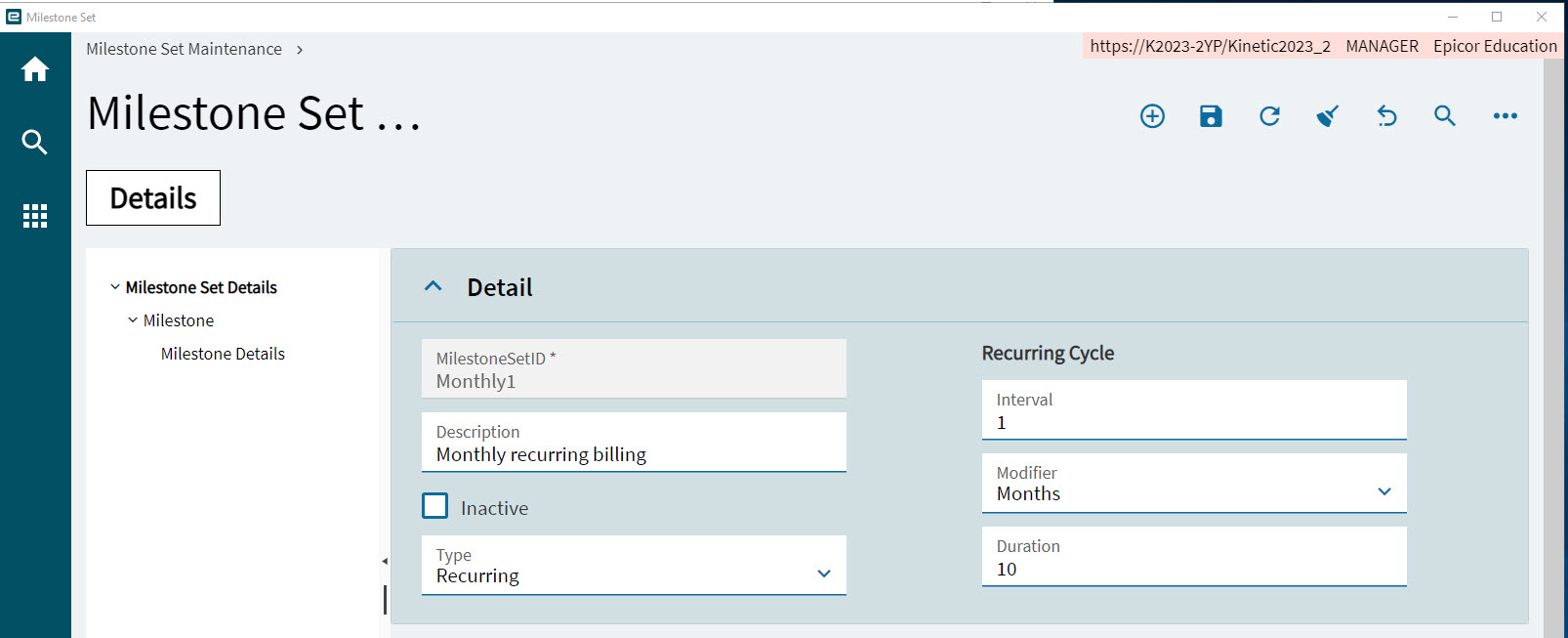
The new Milestone Set is saved.
-
-
Now add a single Milestone to the Milestone Set. See Adding Milestones to a Milestone Set.
Adding Milestones to a Milestone Set
For a Recurring Milestone Set, just add a single Milestone. For a Fixed Milestone Set, add one or more Milestones with Claim Percentages that add up to 100 in total.
-
Expand the Milestone card.
-
Select New
on the card menu bar. -
Type in a MilestoneID.
-
Type in a Description.
-
Type in a ClaimPercentage.
For a Fixed Milestone Set, the ClaimPercentage should be a portion of the total, which is 100 percent.
For a Recurring Milestone Set, the ClaimPercentage should be a factor of 100 percent (for example, 10 percent), calculated as described above. See Adding a Recurring Milestone Set.
-
Type in a Seq. (sequence number).
-
Select Save
on the Standard toolbar. -
For a Fixed Milestone Set, continue to add Milestones. The sum of the ClaimPercentage values from all Milestones within the Milestone Set should total 100.
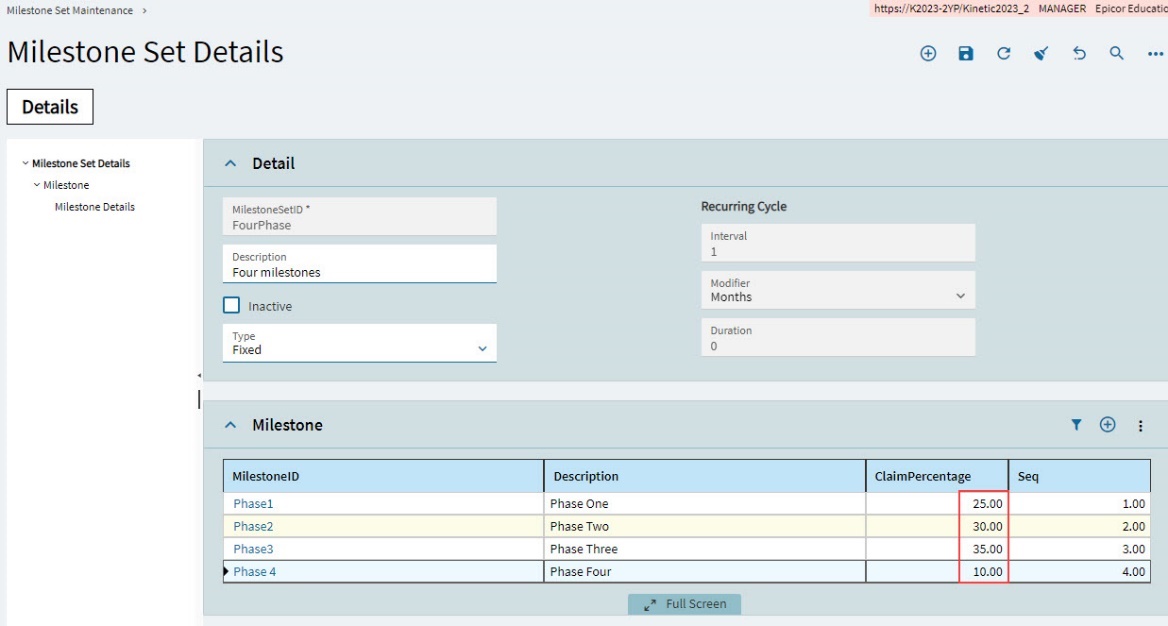
Example Milestone Sets
|
|
Example of a typical Fixed Milestone Set for a single customer |
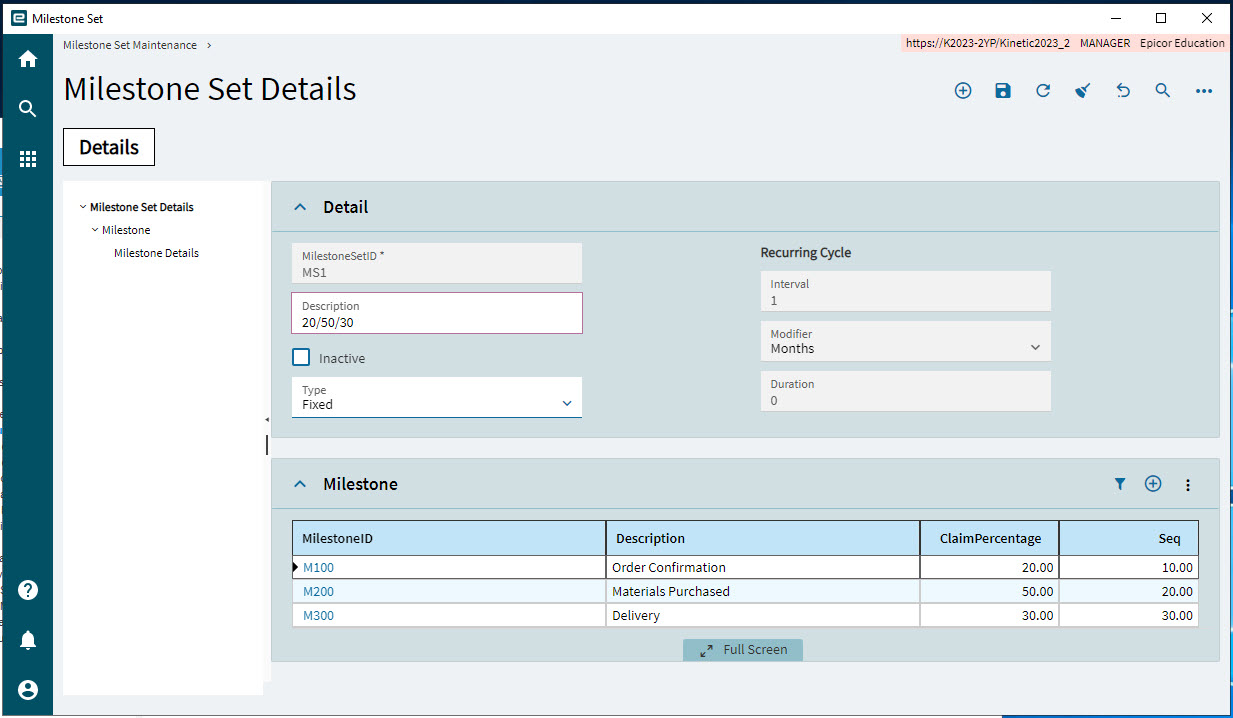
|
|
Example of a Fixed Milestone Set suitable for "On Award" or "Initial Progress" payments. |
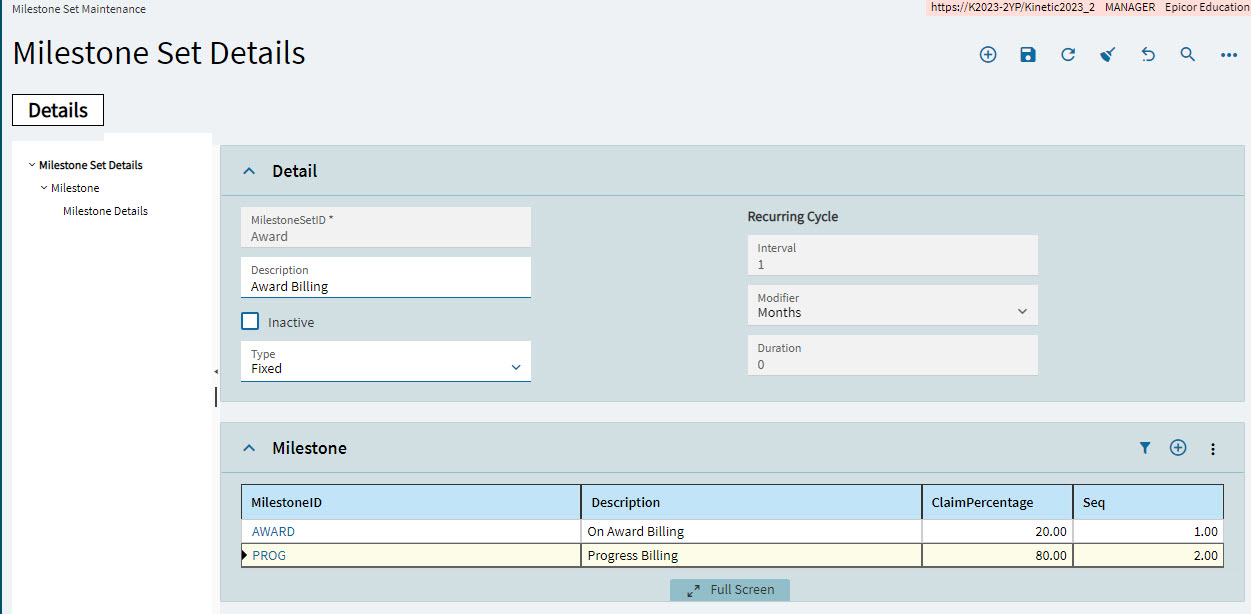
|
|
Example of a Recurring Milestone Set suitable for monthly payments. |
| All the Milestones created against a Fixed Milestone Set should have a combined total Claim Percent of 100. |