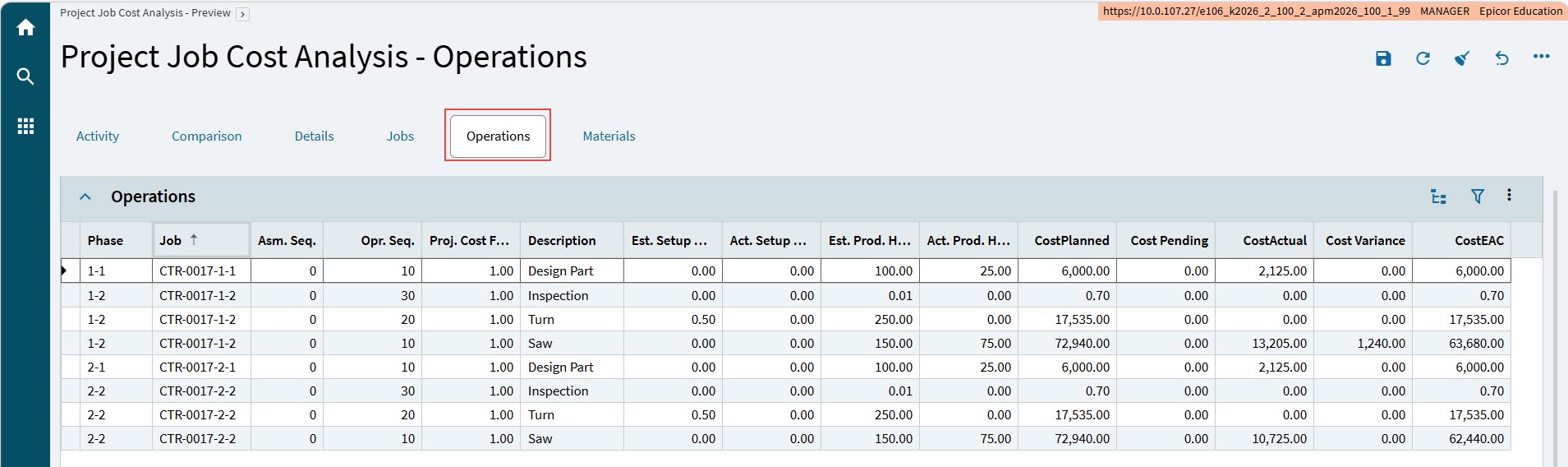
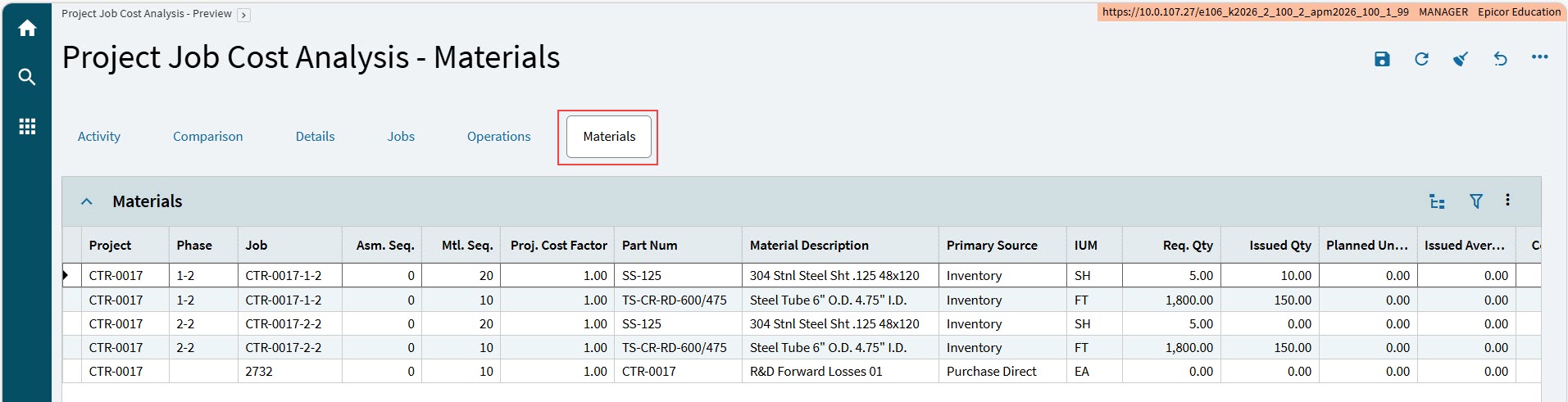
Project Job Cost Analysis - Preview
Manufacturing can be made up of a complex arrangement of jobs and indirect sub-job requirements.
Within APM Projects, child jobs can be linked to the project. Costs and variances for these child jobs are thereby also linked to the project.
In environments where child jobs are not linked to a project, or where the child job is indirect, or production is combined on child jobs, the costs or variances are not easily linked to the project.
Using the Project Job Cost Analysis, users can view true multi-level job costing, with roll-ups and current figures.
Generating a Job Cost Analysis
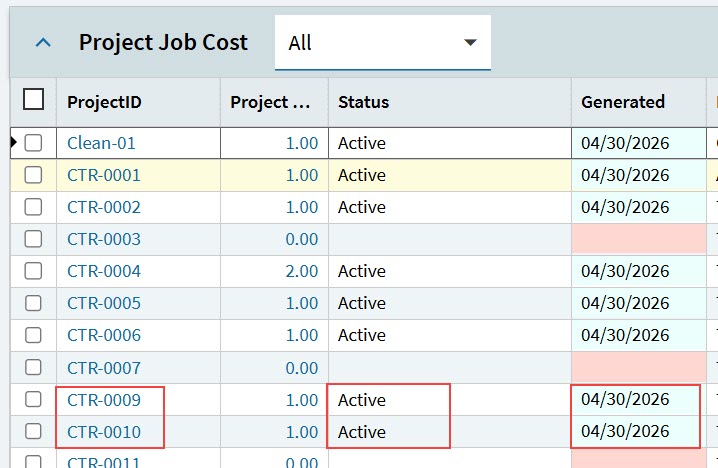
To generate a job cost analysis, select one or more projects from the grid on the Project Job Cost card, then select Generate  on the Standard toolbar.
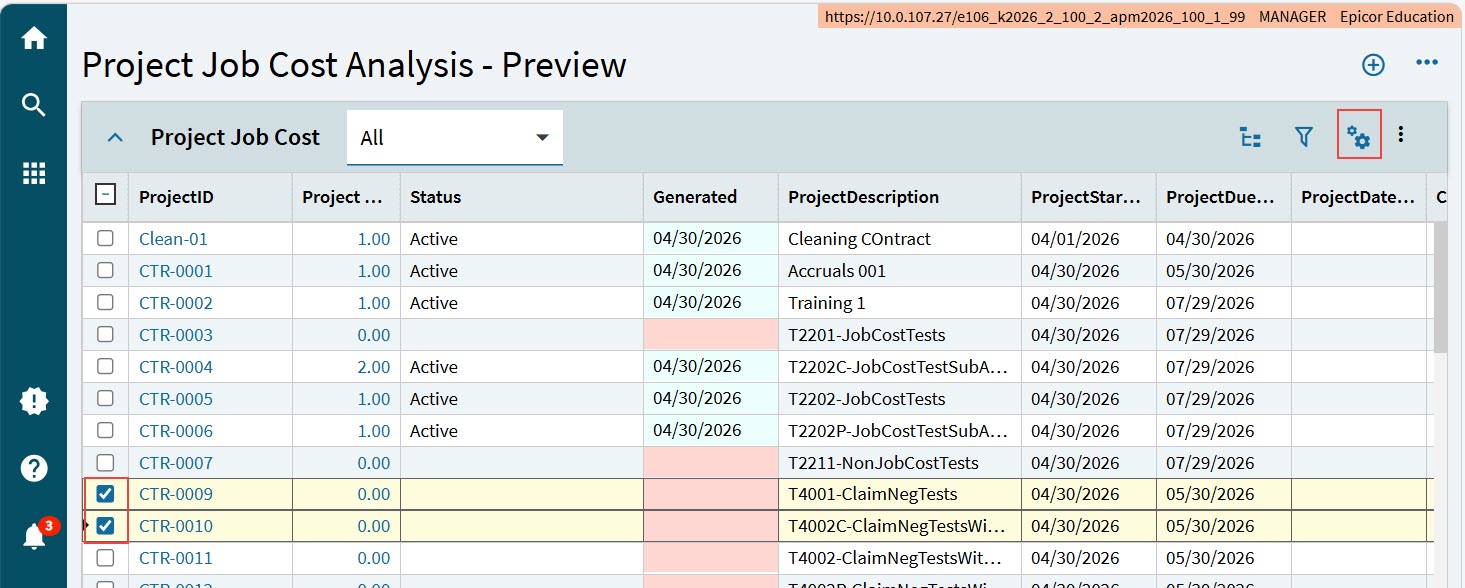
After the project cost analyses are successfully generated for the selected projects, the projects are given a Status of Active, and a Generated date.
|
Viewing a Job Cost Analysis
To view a Job Cost Analysis for a project, click on the Project ID in the grid on the Project Job Cost card.
This opens the Project Job Cost Analysis - Preview, on the Details page.
Details Page
Use the navigation tree to select details from the Project Job Cost Analysis set for the project.
The Details page has several different cards, some of which change with the context of the selected item on the navigation tree.
Details Card
This card displays the details of the selected item in the navigation tree.
Project Details Card
This card displays the project details.
Job Details Card
This card appears and displays job details when you select a Job in the navigation tree, or any details below a job, such as the job assembly, operations, or materials.
Job Costs Summary Card
The Job Costs Summary card displays summary information for This Level and for Roll Up - Of Engineered Job to Job and Pegged Child Job Figures.
These two sections respectively show the summary values for:
-
Planned
-
Released
-
Actual, Pending, and Actual + Pending
-
Variances, Pending Variances, and Actual + Pending Variances.
-
EAC, Pending EAC Change, and Pending EAC Amount.

Within the Job Costs Summary Card are the Assembly Details and the Job Operation Details cards.
Assembly Details Card
When you select an Assembly, or an Operation or Material within that Assembly, the assembly details are displayed on the Assembly Details card.
Job Operation Details Card
When you select a Job Operation, or any Operation Detail or Material within that Operation, the job operation details are displayed on the Job Operation Details card.
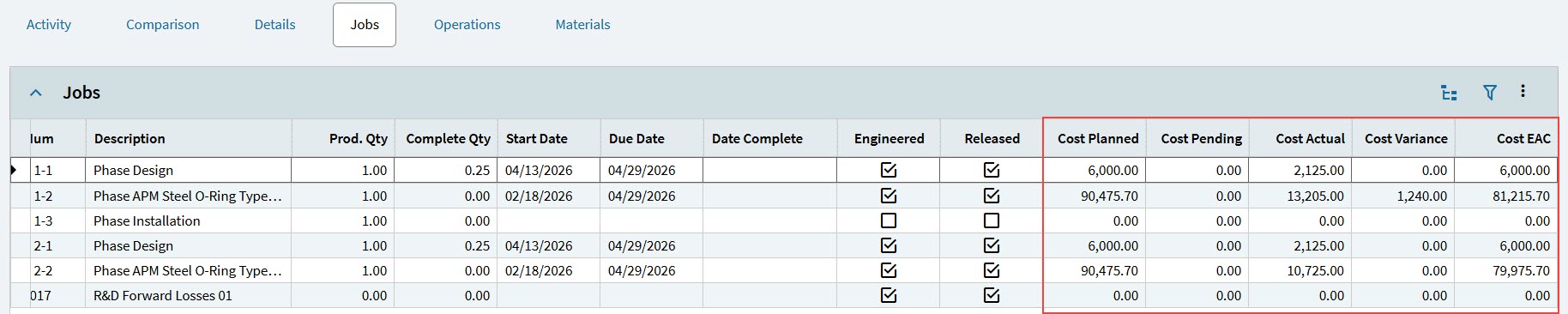
Jobs Page
The Jobs page lists all jobs that are required for this project.
The details for each job are listed in the grid on the Jobs card.
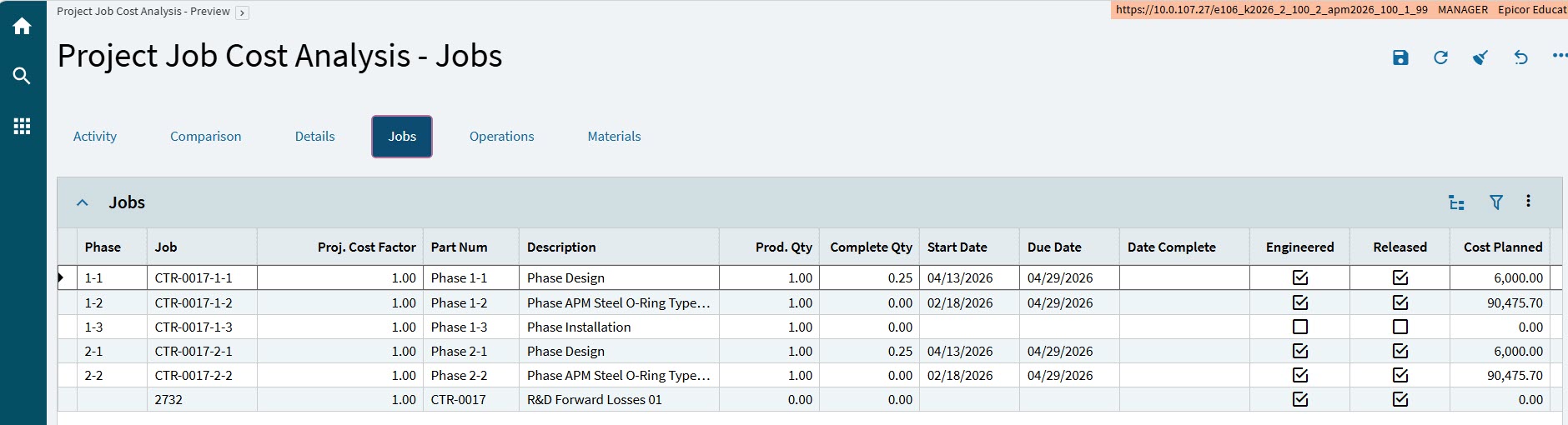
This includes costs related to each job.