APM Project Review Workbench
The APM Project Review Workbench provides a broad, consolidated overview of all current and/or historical projects.
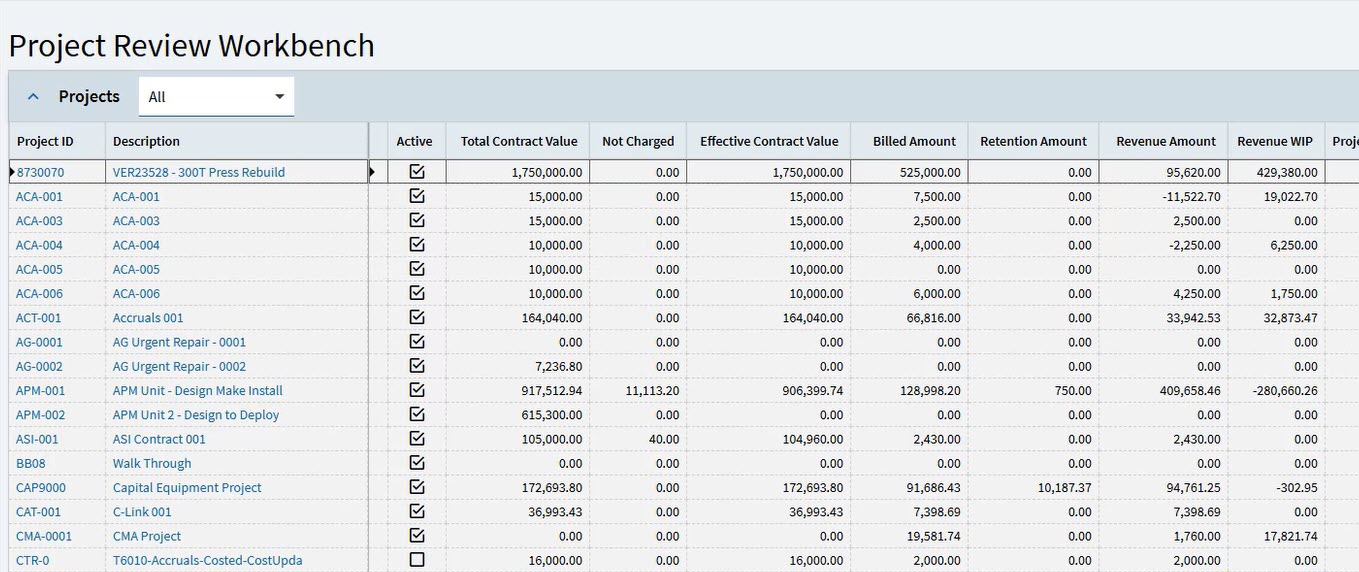
Filtered projects are listed on the workbench grid, with columns showing performance against contract values, and project values such as costs, budgets and more.
You can also check each project for data omissions such as a project containing analysis codes that are not linked to cost codes, or jobs that have not been engineered or released. This data is important to control the integrity of calculations for the project/contract combination.
On the APM Project Workbench you can:
-
Filter the list of projects on column headers, such as:
-
Current projects / historical projects / all projects
-
Project Manager
-
Project Owner
-
and so on.
-
-
Open Project Details for a selected project, to get a more detailed view on that project.
-
Open APM Project Entry to open the project. From APM Project Entry you can work on the project, and view all details relating to the project.
Viewing APM Project Review Workbench
-
Open APM Project Review Workbench: navigate to Advanced Project Management > Project Accounting > Reports > APM Project Review Workbench.
This opens the APM Project Review Workbench, filtered to show All projects.
-
To filter the list, select the filter
 icon on the card header, then filter on one or more of the columns.
Each project in the grid displays several columns showing project fields, contract fields, and data integrity flags.
APM Project Review Workbench Columns:
-
Project ID
-
Project Description
-
Program ID
-
Recalculate Analysis Last Run
-
Project Active
-
Gross Billing Value
-
Not Charged
-
Effective Value
-
Total Claimed
-
Retention Balance
-
Invoiced
-
Approved Budget
-
Budgeted Gross Profit
-
Budgeted Gross Profit %
-
Budgeted Markup %
-
EAC Cost Amount
-
EAC Gross Profit
-
EAC Gross Profit %
-
EAC Markup %
-
Has Budget(s) Exceeded
-
Latest Accrual Sets
-
Accruals % Costed Complete
-
Accruals Cost Recognised
-
Accruals Percent Earned
-
Accruals Revenue Recognised
-
Accruals Gross Profit
-
Accruals Gross Profit %
-
Accruals Markup %
-
Non-Revenue Linked Costs
-
Jobs Count
-
Job Materials Count
-
Job Materials Missing Analysis Codes
-
Job Materials Missing Analysis Code Cost Code Link
-
Job Operations Count
-
Job Operations Missing Analysis Codes
-
Job Operations Missing Analysis Code Cost Code Link
-
Advanced Projects GL Control
-
Project Billing GL Control
-
-
To see more details about a project, see Open Project Details.
-
To open the project, for full details, and to perform any operations, see Open APM Project Entry.
Open Project Details
-
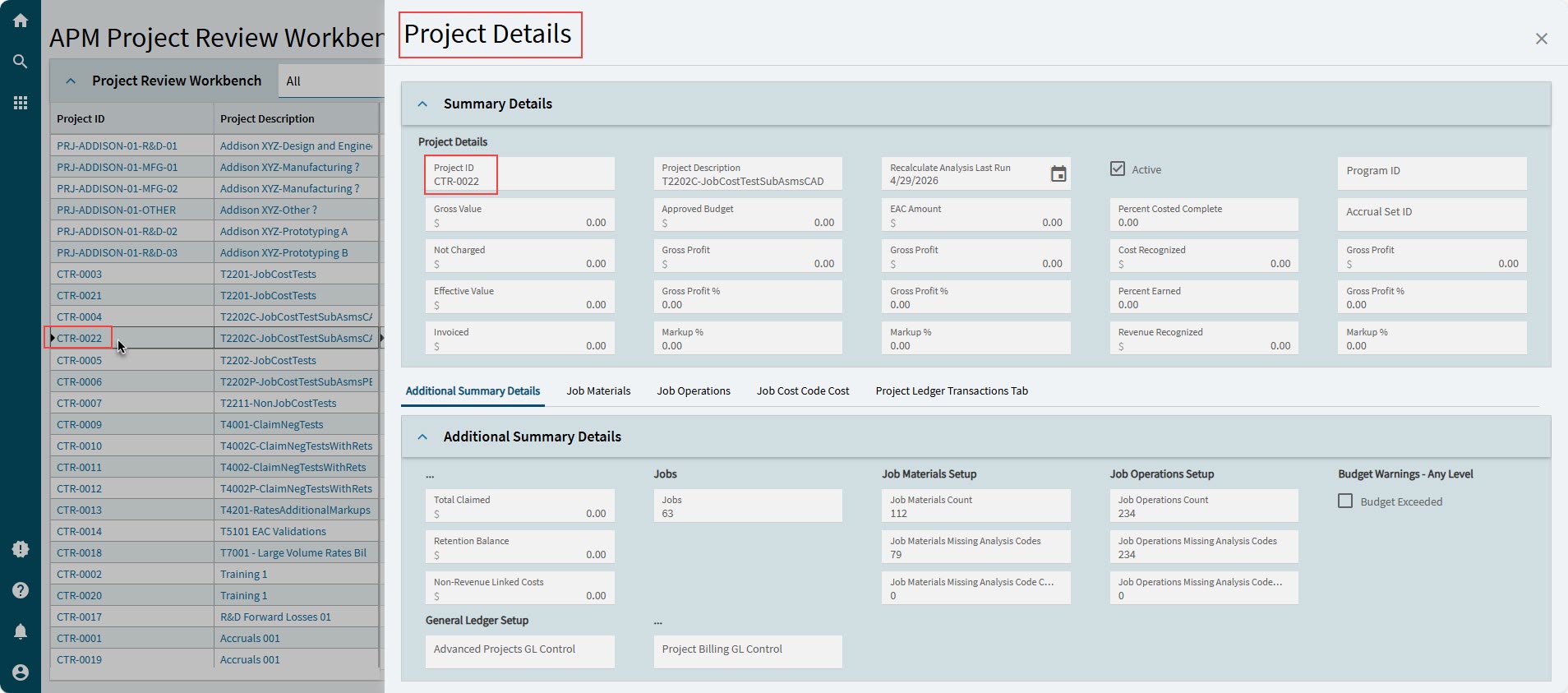
On the workbench grid, click on a Project ID or a Project Description to open the Project Details for that project.
This opens the project in the Project Details slide-out panel.
-
From here, you can view the Summary Details.
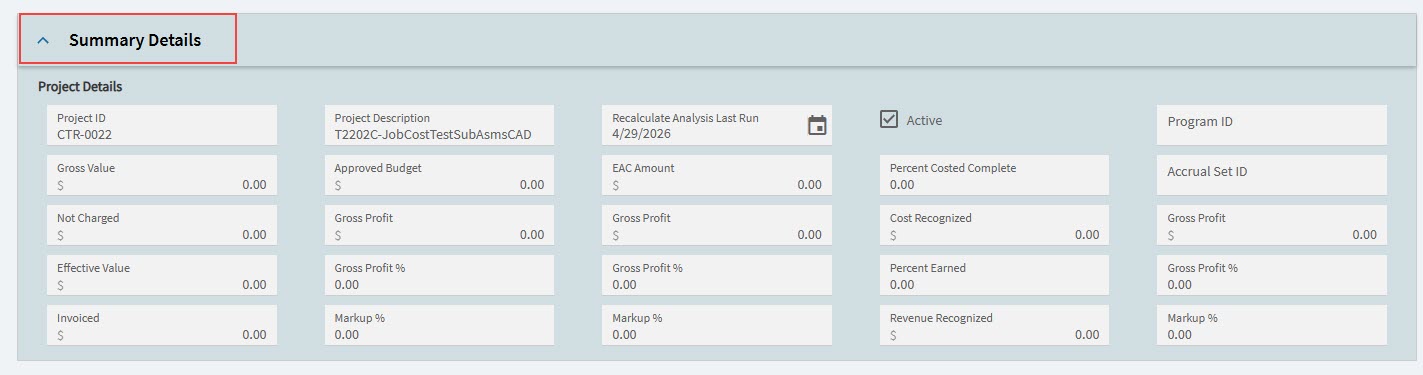
-
Project ID
-
Project Description
-
Recalculate Analysis Last Run
-
Active
-
Program ID
-
Gross Value
-
Approved Budget
-
EAC Amount
-
Percent Costed Complete
-
Accrual Set ID
-
Not Charged
-
Gross Profit
-
Cost Recognized
-
Effective Value
-
Gross Profit %
-
Percent Earned
-
Invoiced
-
Markup %
-
Revenue Recognized
-
-
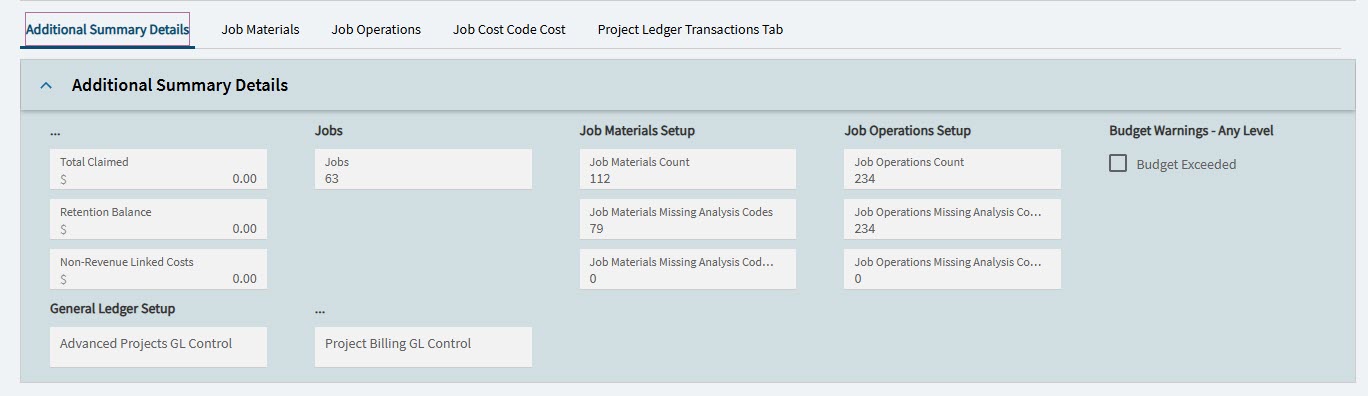
To view additional project-related data, click on the individual tabs on the lower half of the slide-out panel.
Additional Summary Details Tabsheet
This tabsheet displays the following values for the selected project:
- From the Contract
-
Total Claimed
Retention Balance
Non-Revenue Linked Costs
- Jobs
-
Jobs
- Job Materials Setup
-
Job Materials Count
Job Materials Missing Analysis Codes
Job Materials Missing Analysis Code Cost Code Link
- Job Operations Setup
-
Job Operations Count
Job Operations Missing Analysis Codes
Job Operations Missing Analysis Code Cost Code Link
- Budget Warnings - Any Level
-
Budget Exceeded
- General Ledger Setup
-
Advanced Projects GL Control
Project Billing GL Control
Job Operations Tabsheet
This tabsheet shows the job operations costs for the selected project.
-
To learn more about a project’s job operations, see Jop Operations.
Project Ledger Transactions Tabsheet
This tabsheet displays the project ledger transactions for the selected project.
Within the Project Ledger Transactions tabsheet:
-
Click on the Transaction List tab to view the full transaction list for the project. This shos the transactions list as found in APM Project Entry. See Ledger Page
-
Click on the Summary Per Period tab to view summarized transactions for the project per period on the Project Ledger Summary Per Period tabsheet.
Open APM Project Entry
-
On the workbench grid, right-click on a Project ID, then select APM Project Entry to open that project in APM Project Entry. From here, you can view project details, and also perform various operations on the project (see Project Operations in APM Project Entry).