APM Quote Entry
To navigate to APM Quote Entry:
-
Advanced Project Management > Project Accounting > General Operations > APM Quote Entry OR
-
Advanced Project Management > Contract Management > General Operations > APM Quote Entry
Use APM Quote Entry to enter Quotes to link to APM Projects.
In APM Quote Entry, a Quote can be flagged as an APM Template. An APM Quote Template has some restrictions that limit transactions and changes to the Quote. For example, the Quote cannot be set as Quoted.
All other features and functionality remain the same as the Opportunity/Quote Entry accessed from other menu paths in Epicor.
To flag a Quote as an APM Template Quote:
-
Navigate to APM Quote Entry (Advanced Project Management > Project Accounting Management > General Operations > APM Quote Entry).
-
Select a Quote in the grid to open it.
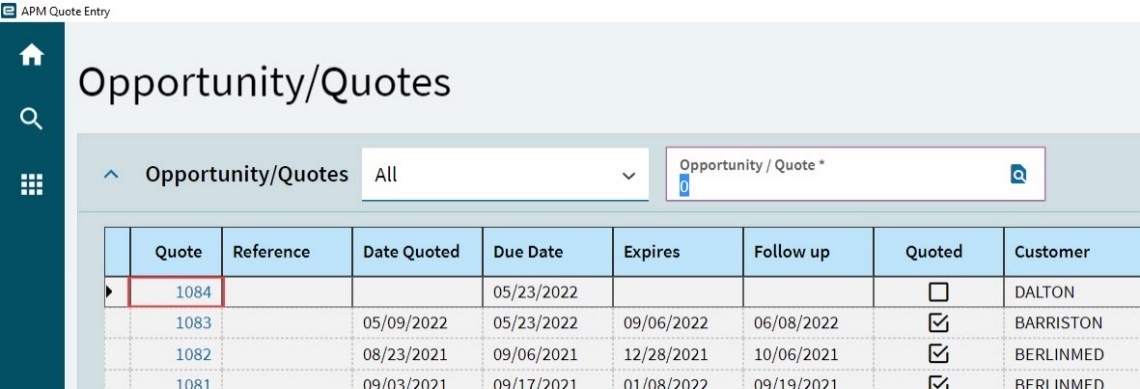
The quote opens on the Details page, with the Quote Header card expanded.
-
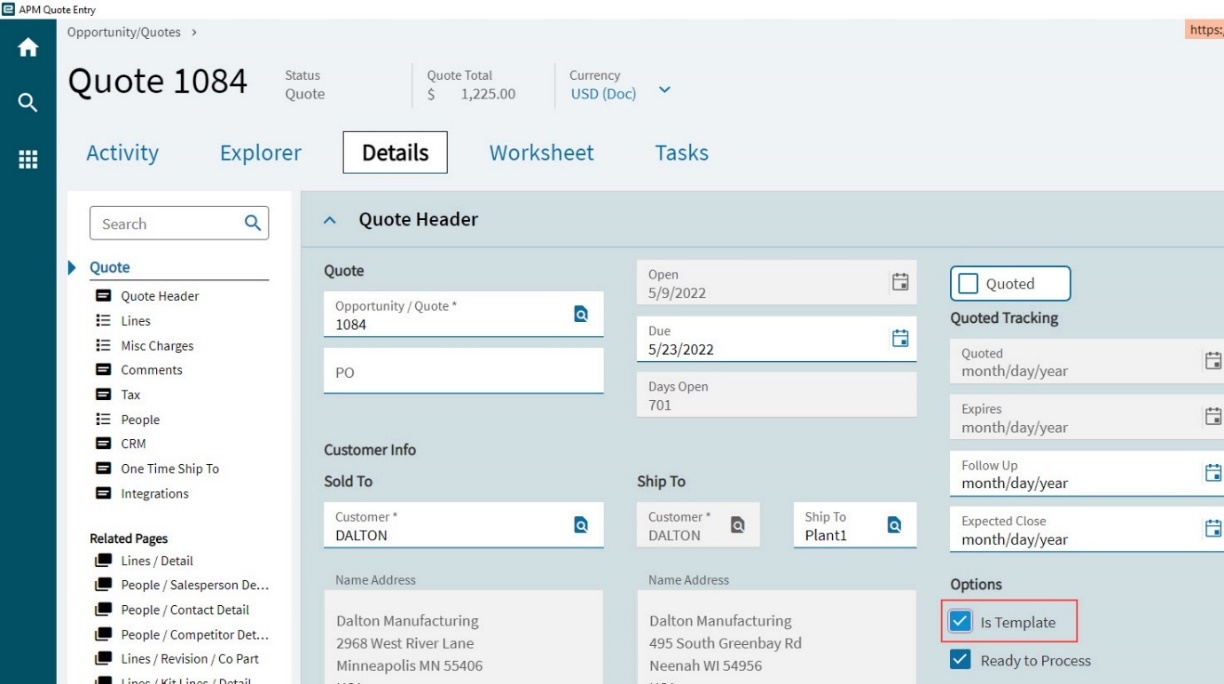
Select the Is Template check box, under the Options.
-
Select Save
 on the Standard toolbar.
The selected Is Template check box indicates that this Quote is an APM Quote Template.
| For further information on Quotes Entry, refer to the standard Kinetic Help topic Entering Quotes. |
Quotes in Advanced Project Management
In APM, you can create and link a Quote to a Contract (see Creating a Quote from a Contract).