APM AR Invoice Tracker
Use the APM AR Invoice Tracker to view APM AR Invoices and their statuses.
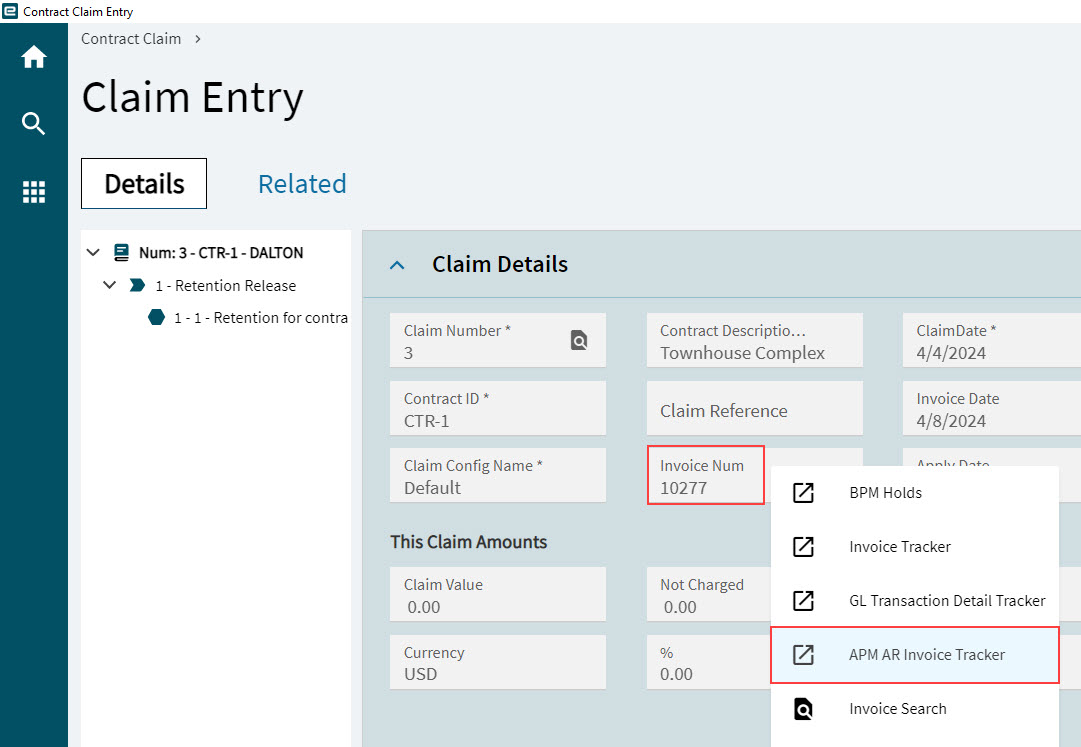
You can access the APM AR Invoice Tracker from the menu (Advanced Project Management > Contract Management > General Operations > APM AR Invoice Tracker or Advanced Project Management > Project Accounting > General Operations > APM AR Invoice Tracker), or by right-clicking on an Invoice number in one of the APM applications, for example Contract Claim Entry.
The APM AR Invoice Tracker displays all information relating to the invoice, such as Invoice number, Type, Invoice Dates, Sold To details, Terms, and Invoice Totals.
The Status section displays Credit Memo information (a credit memo is created for cancelled/reversed Contract Claims), and whether the invoice has been posted. (The example shown below is not a Credit Memo.)
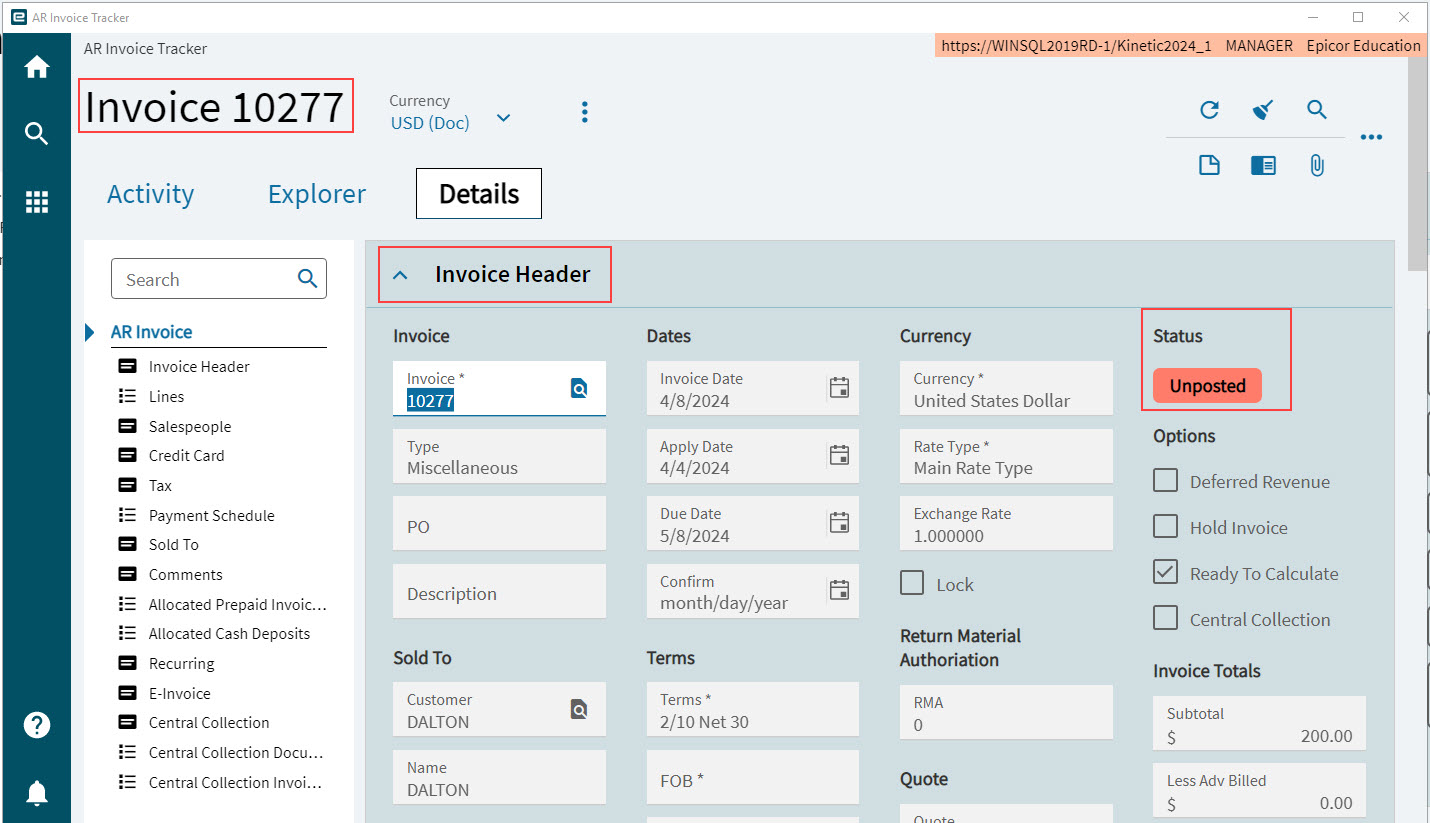
Note that an unposted invoice/credit memo can be posted using the APM AR Invoice Entry application. See APM AR Invoice Entry.
| For further information on the APM AR Invoice Tracker, refer to the standard Kinetic Help topic Tracking AR Invoices in the Accounts Receivable module (Trackers). |