APM Quote Engineering Entry
The Quote Engineering Integration feature enhances the APM Contract Line Item functionality by introducing direct access to engineering data from related CRM Quotes. This enables easier entry and maintenance of tenders and quotes with engineering components taken directly from Contract Entry.
Within the new user interface APM Quote Engineering Entry, you can review how the cost elements as currently configured map to the cost codes configured within the system. This can be particularly valuable for comparing the summary cost code figures between similar quotes and completed jobs to help identify potential aspects for further review or consideration.
- Path
-
Advanced Project Management > Project Accounting > General Operations > APM Quote Engineering Entry.
Use APM Quote Engineering Entry to add the Method of Manufacture (MOM) to quotes. Using the search filters, you can search through the different Quote Line Assemblies, for each Quote and Line.
For a Quote Line Assembly, you can add:
-
Subassemblies
-
Operations
-
Materials
For the Assembly Plan, you can add Inspections and view Comments and Reference Designators.
| For further information, refer to the standard Kinetic Help topic Engineering Quotes in the Quote Management > Quotes module. |
APM Project Job Cost
On the Worksheet page is an additional section called APM Project Job Cost.
The values shown here are derived from all elements of the engineered job.
Whilst there are system processes to automatically create the jobs, cost codes, and budgets required, having access to the costs for the engineering stage is useful for comparing and evaluating the current quote cost estimates.
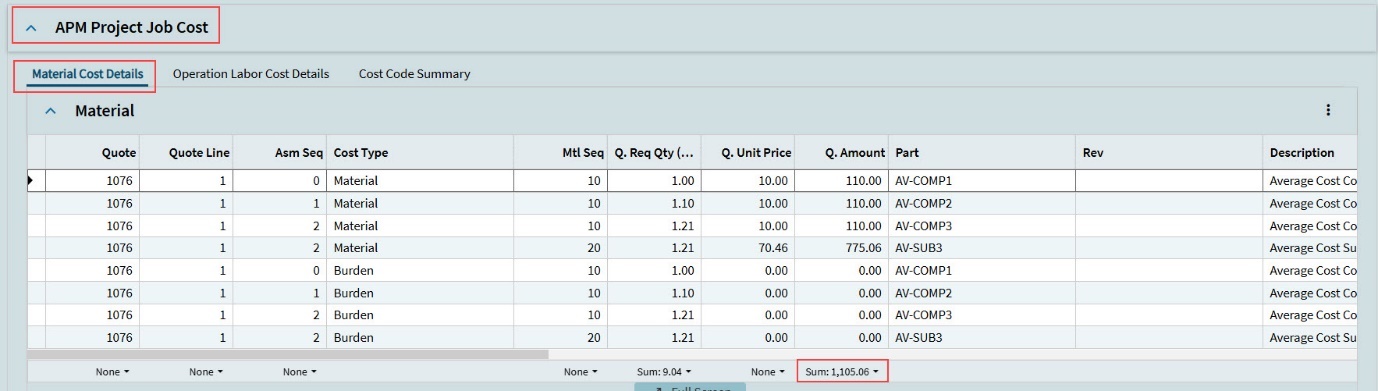
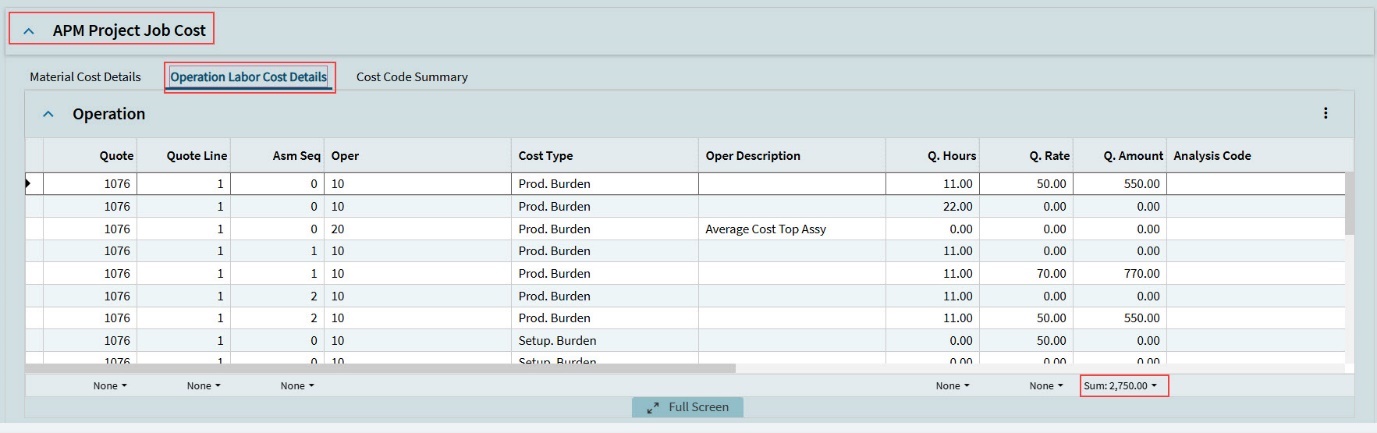
There are three tabs on APM Project Job Cost:
- Material Cost Details
-
Material Costs for this engineering quote are displayed in the grid under this tab.
- Operation Labor Cost details
-
Operation costs for this engineering quote are displayed in the grid under this tab.
- Cost Code Summary
-
The Cost Code Summary for this engineering quote is displayed in the grid under this tab.
